|
<< Click to Display Table of Contents >> HC900 HCDesigner import: Custom Loops |
  
|
|
<< Click to Display Table of Contents >> HC900 HCDesigner import: Custom Loops |
|
For additional Control Loops, these need to be placed in a custom partition In HCDesigner.
To obtain full use of the SpecView Instrument View features it is necessary to include the parameters needed to support the PID interface of the HC900. The Select All button can be used when adding parameters for Modbus addresses to the partition. This adds all of the PID parameters to the map.
Alternatively use the Loops Template (Vista_PID.ptf) provided with HCDesigner but it is necessary to also include the 'LSP1' parameter for Local Set Point. This would provide the minimum list of parameters needed for control via SpecView (see screenshot below):
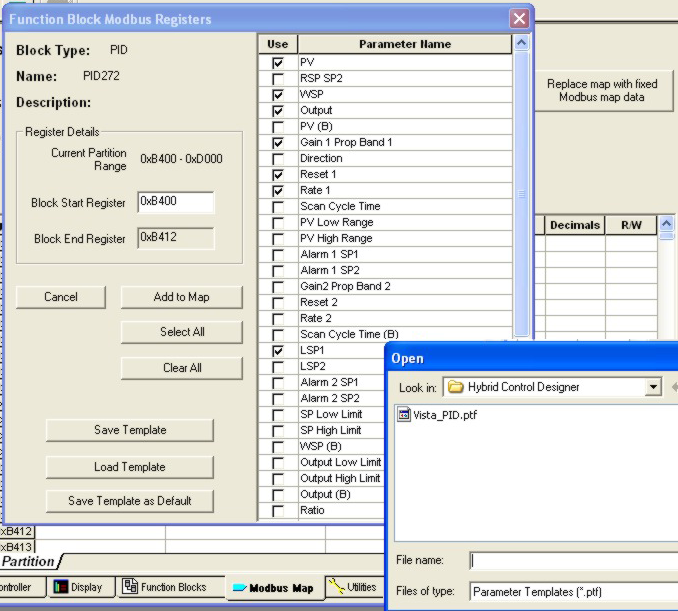
Please refer to the Help in HCDesigner for details & other notes on how to access the screen above.