|
<< Click to Display Table of Contents >> ActiveX Preferences |
  
|
|
<< Click to Display Table of Contents >> ActiveX Preferences |
|
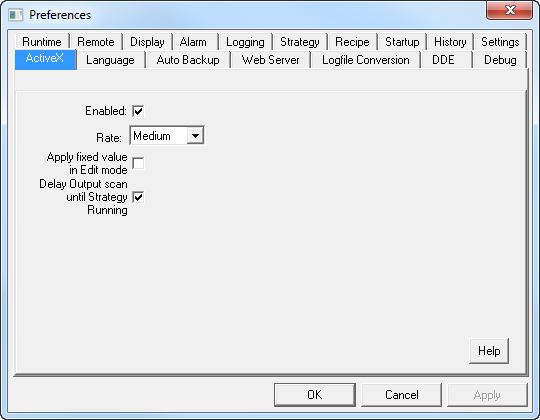
Enabled: This is ON by default.
Allows all ActiveX controls to be enabled/disabled throughout SpecView.
Design Mode: This is OFF by default.
Some controls have a run mode and a design mode & behave differently, this allows Design mode to be used. It is important to read documentation supplied with a ActiceX Control. This is a SpecView wide setting, to set this on a per control basis select the control & use: Object->ActiveX Control->Design mode
Rate: Default is every 2 seconds.
This is the 'heartbeat' same as Scan rate (which is on the Preferences Runtime Tab). This controls the rate at which ActiveX Control outputs are invoked.
Apply fixed value in edit mode: This is OFF by default.
When ON this causes the fixed values specified against a control to be applied when entering Edit mode.
Delay Output scan until Strategy Running: This is ON by default.
When ON all of the ActiveX Controls inputs are NOT scanned until Strategy start-up is complete. If there are no strategy start-up events then there is no delay. This delay can be useful to ensure Strategy start-up actions that set Inputs are completed before anything else such as Outputs could affect the Input values.
See also:
ActiveX - Steps to add an ActiveX Control