|
<< Click to Display Table of Contents >> Web Server - Events |
  
|
|
<< Click to Display Table of Contents >> Web Server - Events |
|
Please read through the Web Server section to learn more about SpecView's Web Server features.
As of SpecView 3.1.267, this Web Server requests can be logged to the Event Window.
For further details on how to enable the event logging of Web Server requests, please read through Data Logging - Events.

The event window will display the IP address from where the request was made and the type of request that was made.
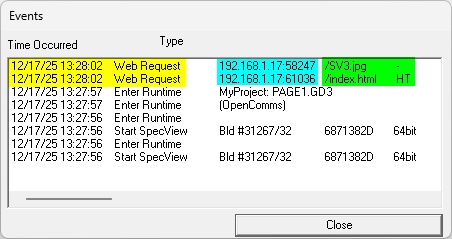
For example, the image above displays the event window.
The yellow area displays the date and time of the Web Server requests.
The blue area displays the IP address from where the requests originated.
The green displays the type of requests.
Here the request was for the Web Server to display the screenshot of the SpecView screen area with no interaction capability.
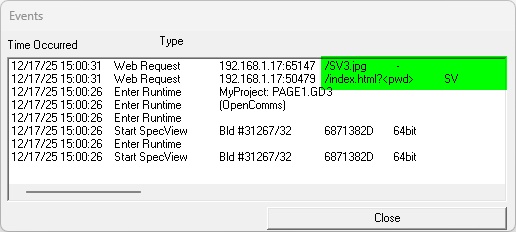
In the image above, the request was for the Web Server to display the screenshot of the SpecView screen area with limited interaction capability (SVClicks).
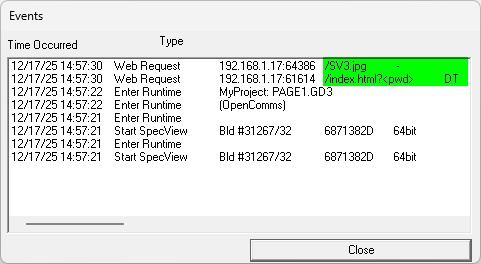
In the image above, the request was for the Web Server to display the screenshot of the Desktop screen, including the Taskbar, with limited interaction capability (DTClicks).
Additionally, the status of the Web Server can be viewed from the Web Server Status variable.